
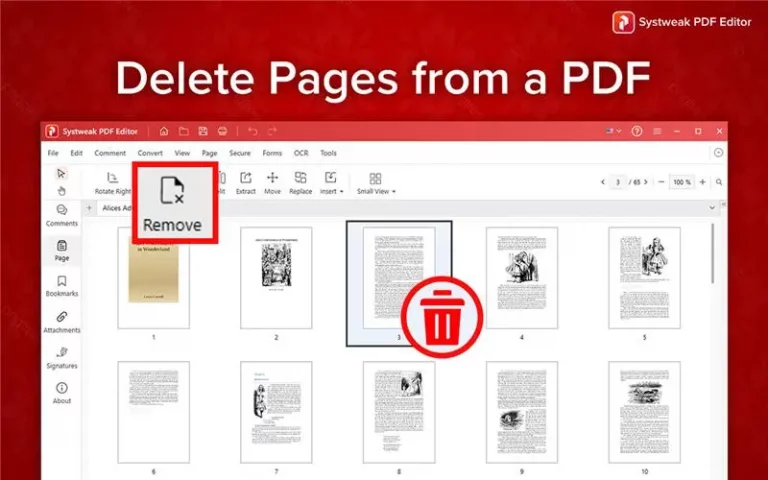

PDF files are one of the best formats for sharing documents as it doesn’t disturb the formatting. But what if you’ve got a huge PDF with unnecessary pages, maybe blank ones, duplicates, or sections that are not relevant? Re-creating the entire file can be unnecessary and might be a blocker in productive hours. The solution is to delete pages from a PDF on your Windows 10 or Windows 11 computer.
In this detailed blog, we’ll give details on removing unwanted pages using free online tools as well as a professional tool Systweak PDF Editor, which stands out for its power, reliability, and security. Let’s begin.
Why Delete Pages from a PDF?
Below-mentioned are the few common scenarios where you should remove pages from a PDF:
- To delete unwanted or blank pages.
- To keep the specific sections of a lengthy report or draft.
- To reduce file size or fitting the file as per the requirement.
- To update old documents without recreating them.
Anything could be the reason, there are various ways to delete pages from PDF files without any issue.
Why Choose Systweak PDF Editor Over Free Online Tools?
Although free online tools like iLovePDF, and PDFChef seem a good option for a basic edit. Whereas Systweak PDF Editor is considered better because of the multiple advantages that make it worth downloading and paying subscription fee even if you have free alternatives. To know more about visit this link Systweak PDF Editor – Best Tool to Edit your PDF Files.
1. Privacy and Data Security
Free web tools ask you to upload your important files to their servers. It can lead to privacy risk or breach, especially in the case of legal, business, or financial documents. If you are dealing with important data this can be a marked breach of GDPR regulation. Systweak PDF Editor, however, works completely offline ensuring 100% security with every PDF.
2. No File Size or Upload Limits
Online tools often restrict file sizes or the number of pages you can manage for free. Systweak PDF Editor lets you edit without any limit, you can remove pages from any size PDF with few clicks.
3. Preserves Formatting and Quality
Web-based editors tend to compress or slightly alter your document’s layout once the file is in their tool. Systweak PDF Editor keeps the consistency in formatting, fonts, and resolution ensuring your file stays as it should.
4. All-in-One PDF Solution
Instead of clicking here and there on multiple free tools, Systweak PDF Editor lets you do everything at one place:
- Delete, merge, extract, or rearrange pages.
- Add signatures, annotations, and watermarks.
- Convert PDFs to Word, Excel, or images.
- Protect PDFs with passwords and encryption.
5. Reliable for Professional Use
For lawyers, students, teachers, and office professionals, they need a reliable tool that keeps files on your server and delivers best results every time. Systweak PDF Editor is known for the performance, unlike browser tools that might be shaky if the internet is bad.
Bonus Tips for Managing PDF Files
Once you have removed extra pages, you can take extra measures to optimize your file:
- Rearrange pages to keep the logical flow.
- Add page numbers for easy navigation for the readers.
- Compress the PDF to meet the uploading standards or limits.
- Protect the important file using a password or encryption.
How to Delete Pages from a PDF in Windows 10/11
There are several ways to remove unwanted pages from a PDF, but we’ll focus on three reliable and easy-to-use options:
- Systweak PDF Editor – The best offline PDF editor for professional and secure editing.
- PDF24 Tools – An effective online PDF page remover.
- PDFChef by Movavi – A user-friendly online solution with extra editing features.
- iLovePDF – A popular all-in-one web tool for managing PDF files.
Let’s go through them one by one.
[1] Delete Pages from PDF Offline Using Systweak PDF Editor
While online tools seem convenient to use, they are not reliable especially when working with important, confidential, or professional documents. Some organizations do not even allow using these online software.
That’s where Systweak PDF Editor can help you.
This powerful Windows software lets you manage pdf via various functions such as delete, rearrange, edit, and annotate PDF pages without compromising your privacy online. It’s fast, reliable, and built for both casual users and professionals who need sophisticated tool with speed.
Steps to Delete Pages Using Systweak PDF Editor:
- Download and Install: Go to the official website and install Systweak PDF Editor on your Windows PC. Follow the instructions to download it successfully.
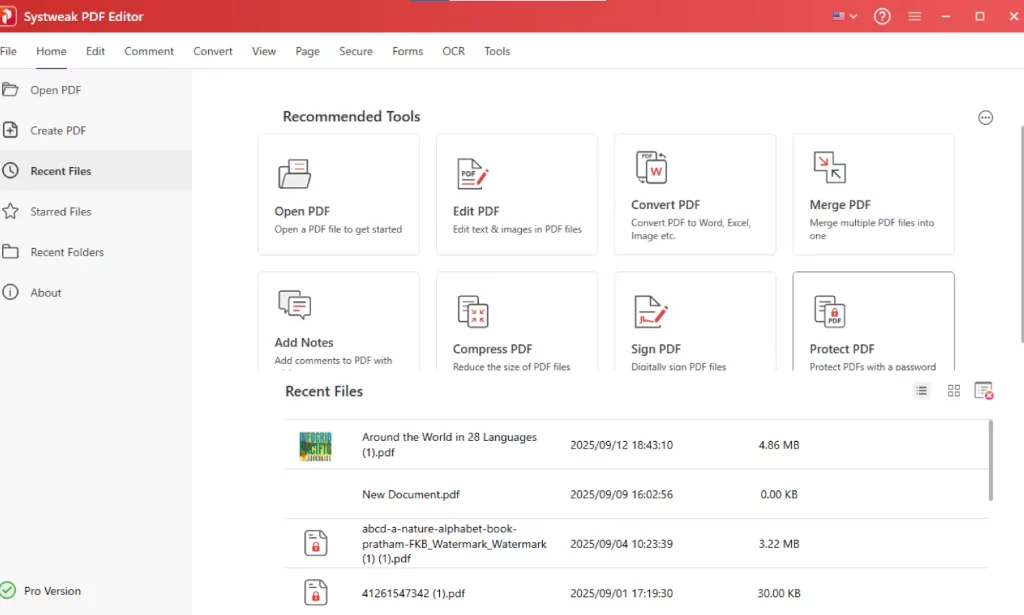
- Open the PDF File: Once the software is launched you’ll be presented with the options, select “open file” import your file.
- Go to the Pages Section: Click on the Pages tab given in the ribbon section of the app. You’ll see a preview of every page in the interface with a precise numbering.
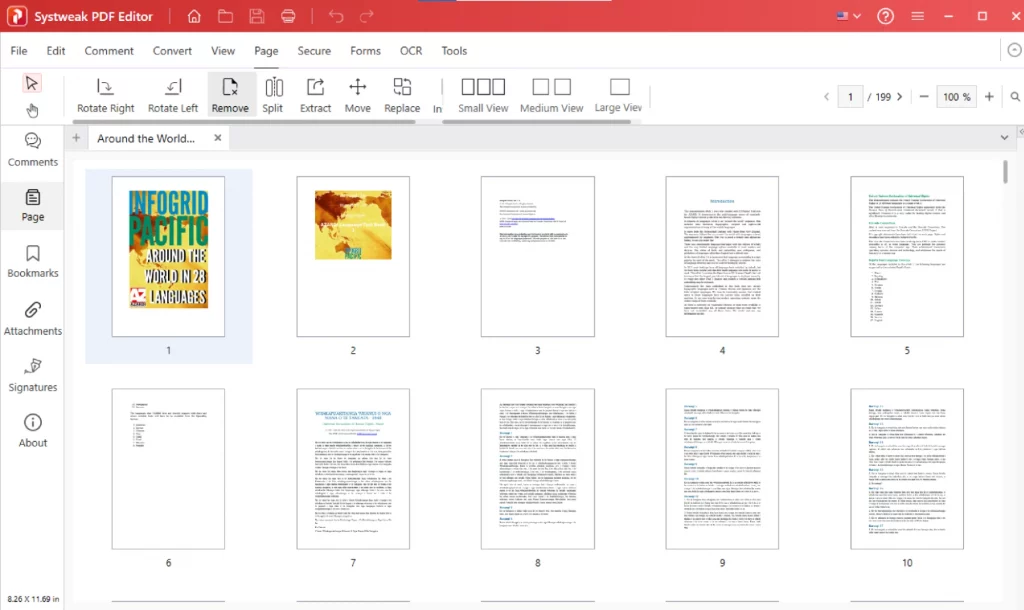
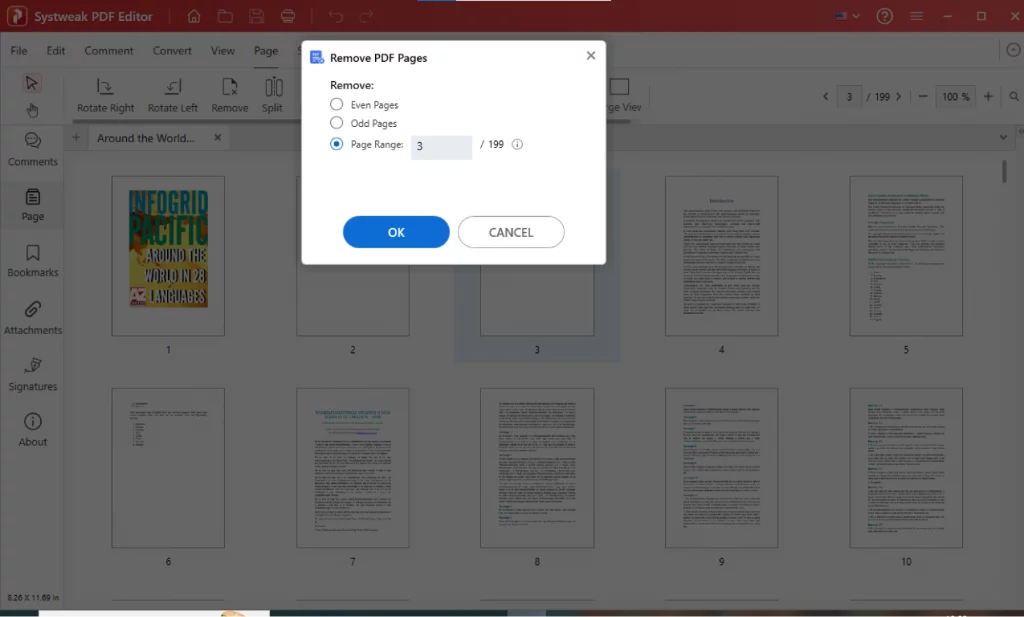
- Select and Delete Pages: Choose the pages you would like to remove and click the Remove button to perform the action. You will be presented with three options, select the one that works for you.
- Save Your Updated PDF
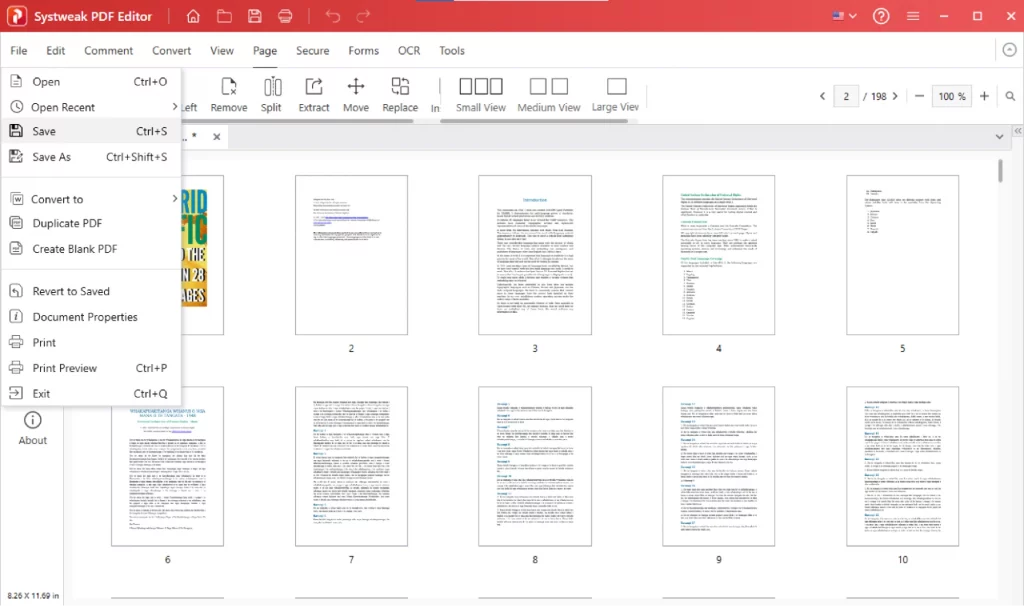
- When you have completed the action, Go to the File > Save As to export your edited PDF ready to be shared.
[2] Delete PDF Pages Using PDF24 Tools
PDF24 Tools is a free online tool that lets you remove pages from the file in single. We have given the direct link for the ease.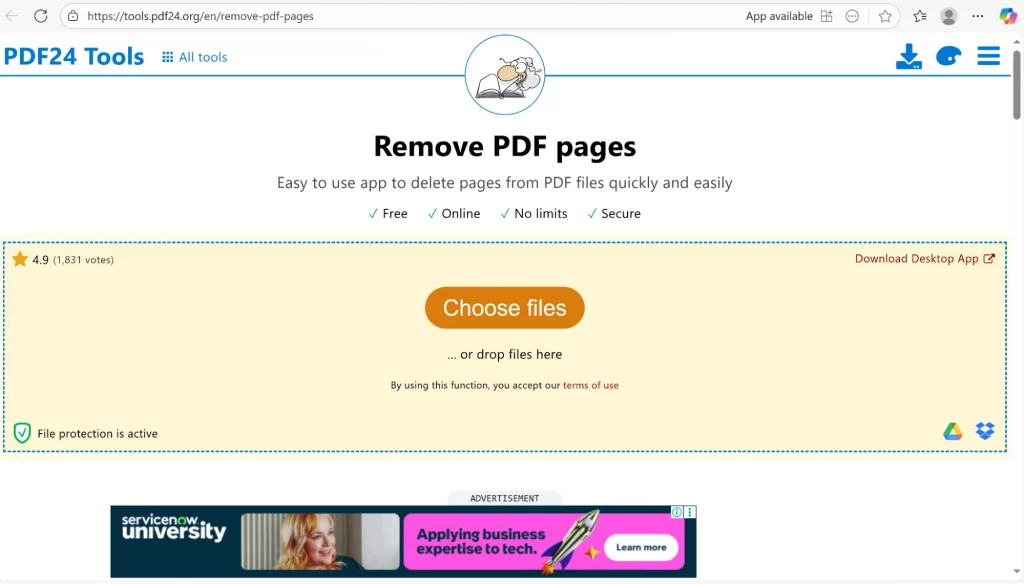
Steps:
- Go to PDF24 Tools – Remove PDF Pages.
- Upload your PDF file from your computer.
- You’ll see a thumbnail that gives you the exact idea of the format.
- Click the trash icon or “Delete” on the pages you like to delete/remove.
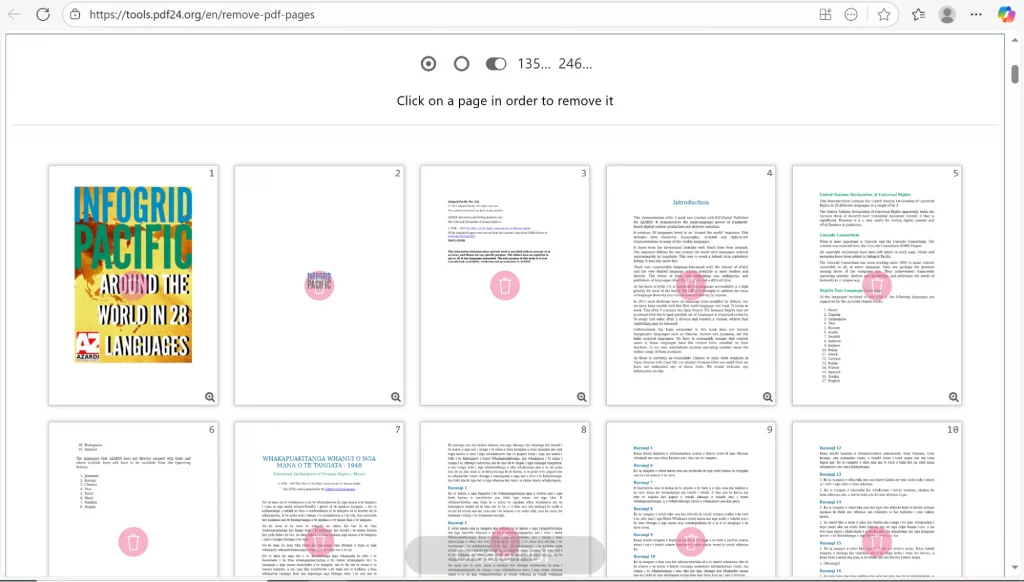
- Click Create PDF to generate your new file without those pages.
Pros:
- Completely free and you can just open the file, start working
- No software installation required.
Cons:
- Limited control over formatting.
- Requires uploading your PDF to the internet. Not a safe environment for the confidential files.
[3] Delete Pages from a PDF Using PDFChef
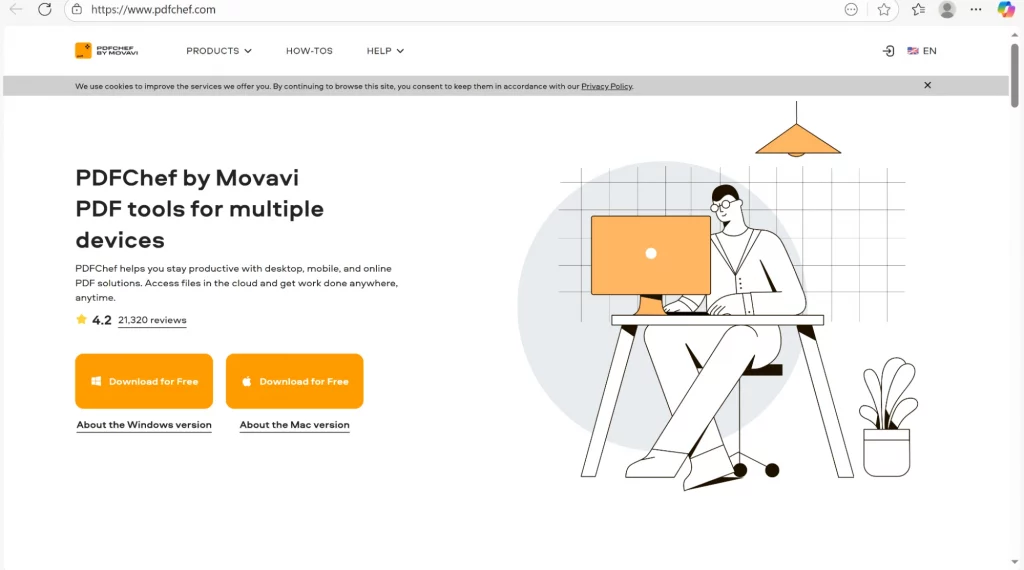
PDFChef by Movavi is another web-based tool that allows you to organize, merge, and delete pages from your PDF.
Steps:
- Go to this link PDFChef.com and download the application
- Choose the “Delete PDF Pages” option.
- Upload your file and preview all pages.
- Select the pages to remove and click Delete Pages.
- Download the new, edited file.
Pros:
- Clean and simple interface.
- Supports small-scale PDF editing tasks.
Cons:
- File size limitations for free users.
- Slow in terms of speed.
- May compress or slightly alter the layout after export.
[4] Use iLovePDF to Delete Pages Online
iLovePDF is one of the known platforms that has been used by everybody at least once. It offers free tools to merge, split, compress, and delete pages from a PDF.
Steps:
- Open iLovePDF.com.
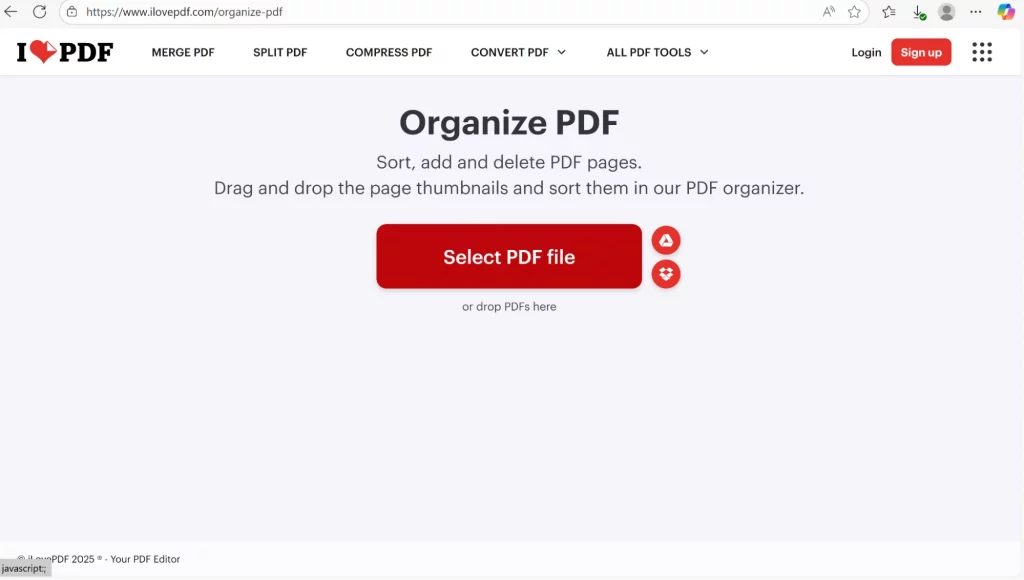
- Go to the organise PDF option. Click on the Select PDF and upload the file
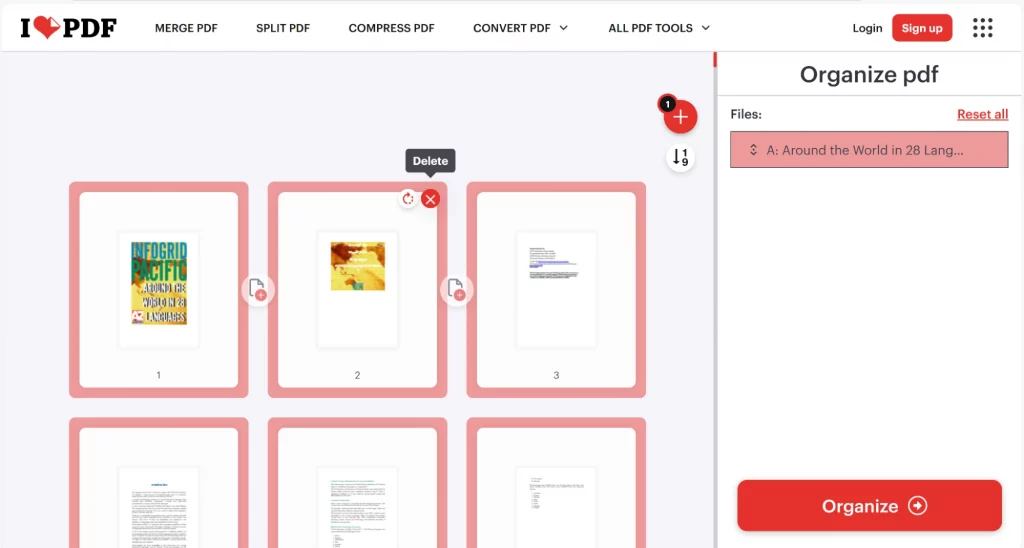
- Select unwanted pages and click Delete Pages.
- Download your updated PDF instantly.
Pros:
- Free and intuitive.
- Offers a variety of other PDF tools.
Cons:
- Free version includes ads and usage limits.
- Requires signing up for frequent use.
- Uploading sensitive files can pose privacy risks.
Frequently Asked Questions
Final Words
While free online tools are convenient for small, non-sensitive tasks, they’re not always the safest or most reliable. Comes with their owb problems. If you work with PDFs often or need professional-level features, Systweak PDF Editor is your best option.
It’s secure, efficient, and feature-rich. A perfect software you need to delete pages from PDF, edit content, merge files, or protect documents.