Convert PDF to Word In Seconds
Turn any PDF document into an editable Word document without losing formatting.
-
 Fast offline PDF to Word conversion
 -
Accurate PDF to DOC and DOCX output
-
Keeps fonts, layout, and tables intact
-
Convert documents without Cloud uploads
-
Offline PDF conversion with privacy
 Free Download
For Windows 11, 10, 8.1, 8 & 7 SP1
Features of Systweak PDF Editor PDF to Word Converter Tool

Quick conversion, without sign-up
With Systweak PDF Editor, you can easily convert a PDF to Word without creating an account or sharing your email. Just install the PDF editor, add your file, choose PDF to Word, and get your editable Word document ready in seconds. This straightforward approach makes the tool an ideal choice for everyday tasks. Say goodbye to network dependencies, frustrating ads, and conversion limits. Just focus on your work and boost your productivity with this easy-to-use PDF-to-Word and Word-to-PDF converter.

Safe offline PDF conversion
Convert PDF to Word without making them leave your PC. Systweak PDF Editor allows you to convert PDF to Word for free without uploading them to unknown servers. This empowers you to work on sensitive documents from the convenience of your PC and with peace of mind. Convert PDFs to Word, from Word to PDF, or in any other format, effortlessly, without any extra tools.

Works across devices and formats
Systweak PDF Editor makes opening and converting PDFs easy. Whether you have converted the document on a Windows PC, you can open the editable document on any platform that supports Microsoft Word or compatible editors. This makes moving between desktop, laptop, and mobile devices easy while keeping the formatting the same. You can even share, print, or download the converted Word and other Office formats and enjoy them.

Preserve formatting
The PDF-to-Word converter preserves fonts, headings, bullet points, tables, images, and columns, and even complex layouts, such as brochures, research papers, forms, and presentations, so your Word file looks like the original PDF. This helps save time and lets you start editing right away, making Systweak PDF Editor the right tool for users who regularly work on PDFs, including business proposals, academic documents, and more.

Goodbye file size or usage limits
Unlike online tools, Systweak PDF Editor does not limit you to the number of PDFs you can convert. You can convert extensive reports, multi-page eBooks, image-heavy documents, and scanned PDFs without worrying about any limits or upload restrictions. The tool easily handles and manages bulk documents, making it easy to collaborate with teams, get tasks done on time, and handle conversions smoothly.

Reliable without internet
Systweak PDF Editor is an offline PDF to Word tool that works without Wi‑Fi or mobile data. You can convert PDFs while traveling, in places without connectivity, or anywhere you want. No matter if the internet is slow or if timeout messages are interfering with your other tasks, the conversion process will not be interrupted. This dependable PDF-to-Word converter will keep working without an online dependency.
How to Convert PDF to Word Using Systweak PDF Editor
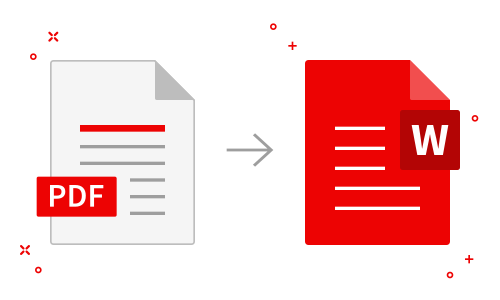
- Install and launch Systweak PDF Editor
Download and install Systweak PDF Editor on your Windows PC. - Open the PDF you want to convert
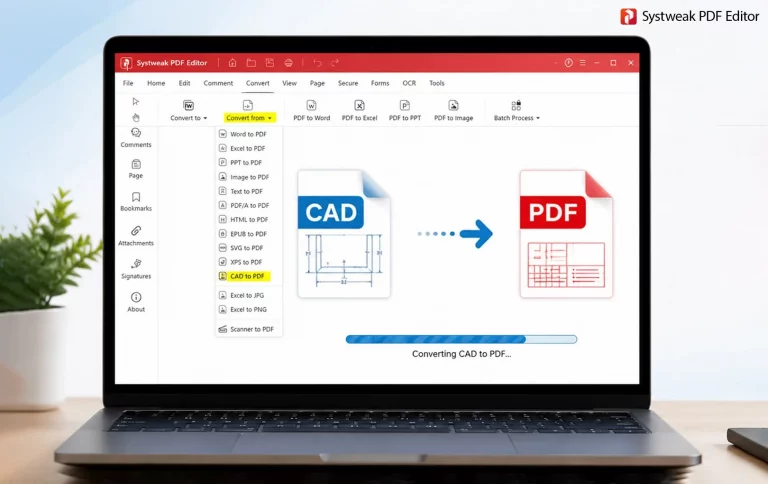
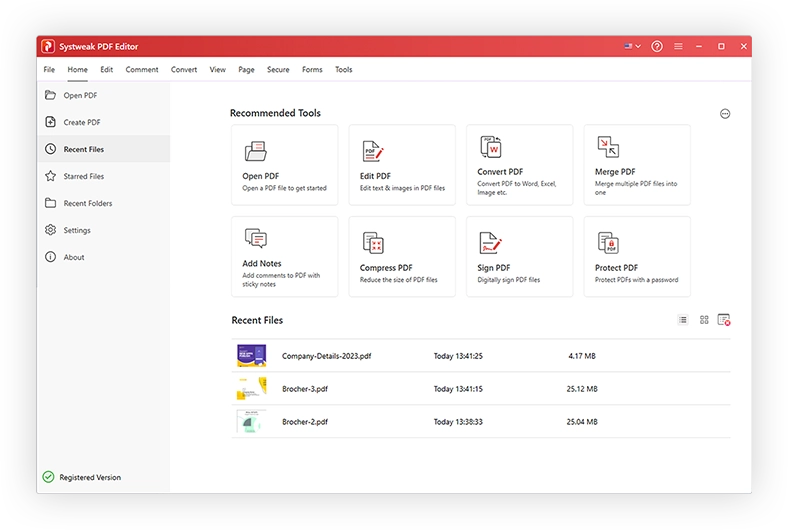
Click the Convert PDF option in the recommended tools area, then add the file to convert - Choose Word as the output format
Select Word format as the Output Format and click Convert to Word. - Open and edit your Word document
Open the converted Word document and start working on it as a regular document.


What else can you do with Systweak PDF Editor
Systweak PDF Editor is more than just a PDF to Word converter. It is a fully functional PDF editor that lets you edit, organize, secure, watermark, merge, & convert documents from a single place, without any extra tools.

Advanced PDF Editing
Edit text, add new paragraphs, and insert or replace images directly inside your PDF. You can also rearrange, rotate, add, or delete pages to modify your reports, forms, and presentations.

Work with scanned and OCR PDFs
Convert scanned PDFs or image-based documents into searchable and editable text using the built-in OCR feature.

Organize, compress, and batch convert
Split or merge PDFs, compress large files, and process multiple documents to save time and stay organized when working with PDFs.

Electronically sign and protect PDFs
Digitally sign documents without printing, apply passwords and other security restrictions to protect your PDFs from unauthorized access.
Practical ways to use Systweak PDF Editor
Perform more than simple conversions. Systweak PDF Editor helps users of all types to work smartly with PDFs. The tool combines PDF to Word, Word to PDF, OCR, security, and other editing and annotation features so that you don’t have to switch between software.
Education and personal use
Students, teachers, and home users can easily convert study material, assignments, notes, and eBooks from PDF to Word. They can also highlight, annotate, and comment on PDFs to keep important sections accessible.
IT teams and professionals
Quickly turn PDFs into editable Word, Excel, or PowerPoint files and update technical manuals, proposals, and internal documentation with ease. Bulk convert PDFs and save time when working with multiple documents.
Legal, government, and compliance
Convert contracts and files from PDF to Word without uploading them to the cloud, and protect PDFs with passwords or redaction tools to prevent unauthorized access.
Finance, banking, and business
Speed up approvals by signing PDFs electronically and digitally and converting them to Word for quick updates, then saving them back to PDF for sharing or other purposes.
Frequently Asked Questions
Do You Have Questions? We Are Here To Help!
What is a PDF to Word converter?
A PDF-to-Word converter, as its name suggests, is a tool that converts a PDF file into an editable Word document (DOC or DOCX). Tools like Systweak PDF Editor are PDF to Word converter that allows you to convert PDF to Word without changing their formatting.
Can I convert a PDF to Word offline?
Yes, you can convert PDFs to Word using desktop applications like Systweak PDF Editor without uploading them. The tool lets you convert PDFs to Word and other Microsoft Office formats.
Will the formatting remain intact after conversion?
When you use reliable PDF to Word converters like Systweak PDF Editor, you don’t have to worry about losing formatting. The PDF editor preserves fonts, headings, bullet points, tables, and images, and makes it look like the original document.
Are there any file size limits for conversion?
With Systweak PDF Editor, there are no size limits or upload caps. You can convert large documents, multi-page documents, and eBooks easily with this tool. Moreover, you can even perform batch conversion.
Is converting PDFs to Word safe for confidential documents?
Yes, Systweak PDF Editor works offline and processes the files locally on your PCs. This means your files are not uploaded to external servers and are therefore safe.
Can I convert scanned PDFs to Word?
Yes. Systweak PDF Editor includes an OCR (Optical Character Recognition) feature that recognizes text and images in a scanned document. Once you perform OCR, the content can be exported to an editable Word document and edited like any other file.
How do I convert a PDF to Word without losing the formatting?
To keep the formatting as the original file, open Systweak PDF Editor> add your PDF > choose the format > and start the conversion. The tool will convert the PDF and give you a Word file without changing the format, whether it is complex or simple.
Will my converted Word document be secure?
Yes, since the process is done locally on your machine, and the output file doesn’t leave the system, it is safe. To secure it you can also save it in an encrypted folder.
Can PDF to Word converters be used for free?
Yes. You can convert the first 3 pages of a PDF when using the trial version.
Does the PDF converter tool work with scanned documents?
Yes. For scanned PDFs, you will first need to perform OCR in Systweak PDF Editor, then convert it to Word or another format you want.
How precise is the PDF to Word converter?
The PDF-to-Word conversion in Systweak PDF Editor is optimized for accuracy, preserving structure and formatting. This means the final output is always like the original document.
Can I convert scanned PDFs to Word?
Some PDF to Word tools include OCR (Optical Character Recognition) to make scanned PDFs editable. This allows text extraction from images, making it easy to work with scanned documents.
Get Systweak PDF Editor Now!
Advanced PDF Editing tools just for you.
With a few clicks, edit, convert, compress, password protect, rotate, combine, split, and perform other editing operations on PDF files with our powerful PDF editor.