

Converting a PDF file to a Word document, while keeping the text editable and maintaining the formatting is a complex task that can be made easy if you have the best PDF to Word converter software. This task can be done with offline PDF editing and management programs as well as online PDF webtools. We have listed the 5 best PDF to Word converter tools in both categories after testing many apps available on the internet. This guide will help readers choose the best online or offline tool to convert PDF to Word with ease while preserving the formatting of the document.
Editor’s Note – We recommend using offline PDF to Word converter tools as they do not require the users to upload their PDF files to a foreign server, as in the case of online tools. There is no guarantee that the document you have uploaded will be deleted from the web tool’s server, which may cause data leaks and intrusion into your privacy.
Features Of A PDF Editing And Management Software
Before choosing an offline PDF tool, you must know what basic and advanced features you should look for in a PDF management software. We recommend that you invest one time in a complete PDF solution software. We have divided the features into Basic & Advanced features with Tips at the end of the section.
Basic Features Provided By Most PDF Management Tools.
Edit Pages – Adding, modifying, and deleting content are three basic and most important features. The list of content is very long and includes text, images, comments, signatures, highlights, annotations, stamps, text callouts, form elements, notes, watermarks, shapes, page and bates numbering, etc.
Manage Pages – Page management includes adding & removing pages, reversing, rotating, rearranging the pages, and splitting or merging the PDF.
Advanced Features Provided By Few PDF Management Tools.
OCR – Optical Character Recognition is a feature that helps make scanned PDFs editable and searchable.
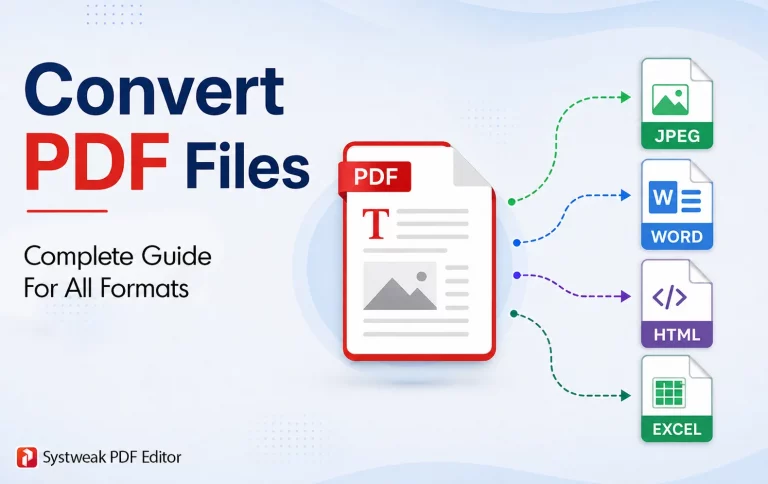
Convert & Keep Formatting – Converting a PDF to another format (Word, Excel, PPT, Image, Text, etc) and vice versa while maintaining the formatting is an important feature included in a few PDF tools.
Maintain Privacy & Legality – Privacy of a PDF document can be achieved with password protection and redaction tools. To maintain the legality of the PDF document, users must be able to add a digital signature.
Batch Process – When there are many PDFs involved, users require the tasks to be carried out in a batch conversion process. This is an important feature to save time and effort.
Tips For Choosing The Best PDF Management Tool.
Maximum Features – Choose a PDF software with the maximum required features.
Lifetime Validity – You should opt for a PDF software that offers a lifetime license rather than purchasing monthly or yearly licenses.
Low Cost – One of the important tips is to choose a software that will not burn a hole in your pocket and yet provide all the important features that you require.
Data Privacy – Users must always opt for offline secure PDF to Word converters to ensure that their PDF files resin secured and do not fall a prey of data leaks.
Unlimited Conversions – Most free tools restrict the actions per day that the user can perform on a PDF file. The best PDF to Word converter is the one with no restrictions.
Platform Compatibility – The PDF program you choose must be compatible with the platform on which you wish to use it.
Read Online Reviews – You should read a few reviews of the software you decide to buy to understand the public opinion before choosing any software.
Use the Trial Version – The last important tip is to use the trial version and carry out as many PDF tasks as possible to understand the ease-of-use and interface of the software
List Of Best Offline PDF To Word Converter Software
1. Systweak PDF Editor
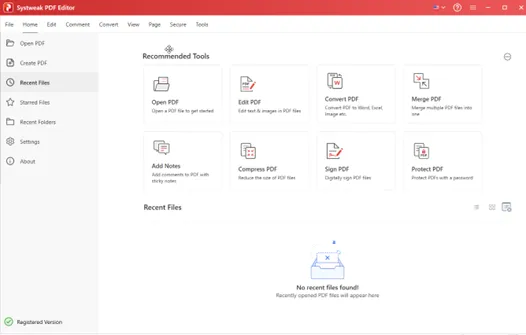
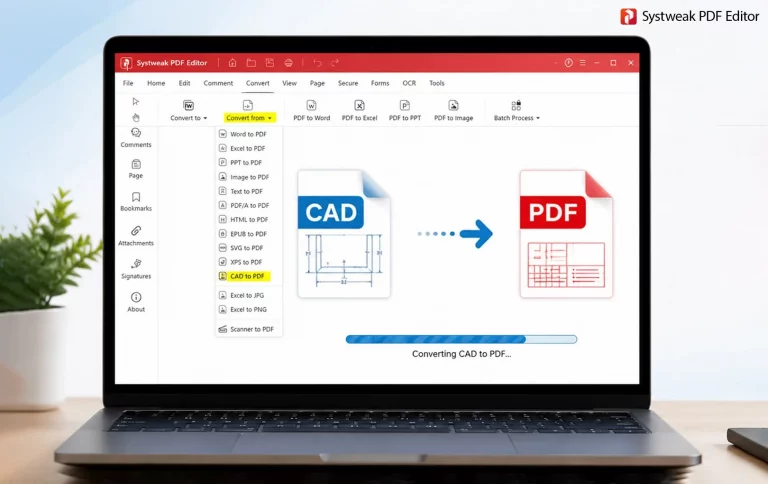
Systweak PDF Editor is a complete PDF solution that can convert PDF to Word offline without the need of the internet. The two main positives of Systweak PDF Editor software are that it supports single document conversion and batch conversion of PDF document(s) to Word document format and vice versa and keeps the formatting intact.
This fast PDF to Word converter has a lightweight and intuitive interface that is not cluttered with features. You get all the basic and advanced PDF management features well-arranged under self-explanatory tabs. The powerful conversion tool does not develop any sort of text misalignment, broken tables or unsearchable text when converted from PDF to Word.
Features
- Offline convert and process large PDFs with ease and no delay or lag
- Convert PDF to Word Without Losing Formatting.
- OCR makes scanned PDFs searchable and editable accurately.
- Batch processing to convert multiple documents all at once with ease.
- Budget friendly software dedicated to maintaining data privacy.
Convert PDF to Word fully offline
No file upload to cloud servers
Offline processing means faster conversions
AI based OCR support – Convert scanned PDF into Word
Batch processing for multiple documents
Only 7 days free trial
2. Adobe Acrobat Pro
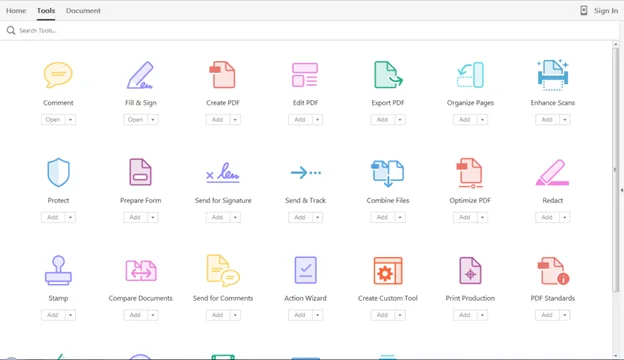
Adobe Acrobat Reader is a popular name when it comes to handling PDFs and to PDF to DOCX offline. It supports all basic features like editing PDFs, creating PDFs from other file types, and vice versa. Users can E-Sign documents and request digital signatures from other people without having the recipients sign in anywhere. This app helps to create web forms and track responses, as well as help organize the document pages with rotate, rearrange, merge, split, and other modules. Users can conduct batch processing of large files without any limits and restrictions.
Features.
- Includes PDF Spaces AI model that transforms files into a conversational model with which users can chat for faster insights.
- Compare PDFs to spot the differences between two versions of the same PDF.
- The Protect PDF feature helps users to restrict others from printing, editing, and copying the content of your PDF.
It allows you to create forms and fill them.
Comprehensive tools for PDF editing.
Add comments, stamps, signatures, passwords, and more with ease.
Very Expensive Subscription Plans
No Lifetime plans
Price – $29.99 monthly and $239.88 yearly.
3. PDFGear
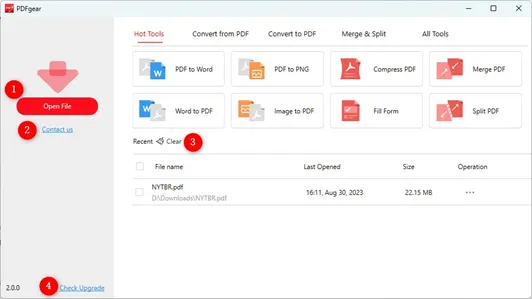
Moving on with the list of the best PDF to DOC converter offline software, we have PDFgear as the next PDF software. This program comes with an in-built AI module that allows users to interact with the PDF document and perform tasks like compressing, deleting, or rearranging pages.
The basic features of editing, cropping, compressing, merging/splitting PDFs are all present with advanced features like OCR, PDF conversion to popular formats like Word, Excel, image, etc., and creating fillable forms. Strong OCR features leads to editable and searchable text.
Features.
- Includes an AI summarizer (PDFgear Co-Pilot) for lengthy PDF documents like legal contracts or manuals.
- PDFgear is available for Windows, macOS, Android, and iOS.
- Allows batch cross-conversion between PDFs and other document formats, namely, Word, Excel, PowerPoint, and images.
Annotation is easy with many features like highlights, comments, notes, and more.
Basic editing is free without a watermark.
Convert PDF files to other file formats.
The interface needs to be worked upon.
Price – Free for a limited time.
4. Nitro PDF
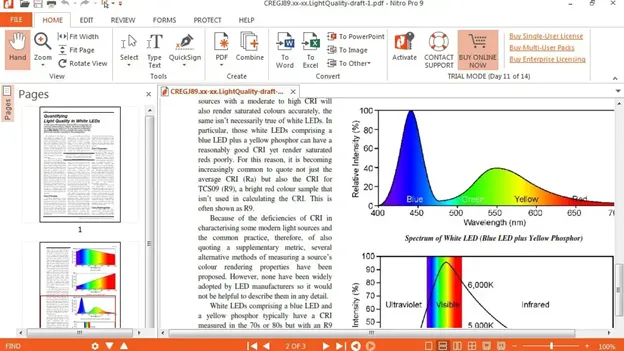
Nitro PDF stands out as one of the best PDF-to-Word converters. This PDF tool has partnered with Canva to bring seamless design and PDF management under one interface. It also allows users to automate the PDF workflows with the Nitro AI feature that includes data extraction, form creation, and simplifies document management. All other basic and advanced features are included with this app. The conversion process takes care of broken tables, non-editable images and text alignment.
Features
- Summarize complex documents in a few seconds and extract structured data.
- Users can generate queries in natural language.
- AI field detection helps automate the placement of key fields such as dates, signatures, and text inputs.
Does not consume much CPU resources
Straightforward interface
PDF compression does not affect quality.
No advanced features are available in the free trial version
Price – $17.70 monthly and $318.60 for 3 years.
5. Foxit
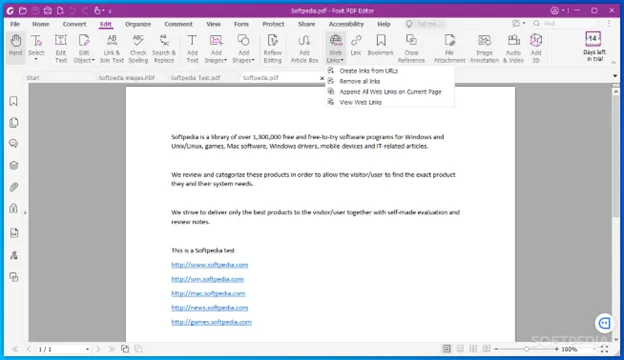
The final one on the list of Offline PDF to Word converters is the Foxit PDF Editor. This PDF management software is a complete PDF solution that allows users to create, edit, and share PDF documents. It provides a module to create a legally binding signature and allows integration with Google & Microsoft apps. This tools does not have limitations like upload.dpwnload delays, daily caps or any sort of privacy concerns.
Features.
- Analyse documents, generate images, translate text from other languages, and more with an AI assistant.
- Reliably convert files to and from PDF without losing formatting.
- Collect comments from multiple stakeholders at once.
Editing existing text is very easy, as it gets converted to text boxes.
Supports multiple platforms and devices More expensive than others in this list.
Microsoft Office-style ribbon interface makes it easy and familiar for users.
The Pro version can only be used on PC.
More expensive than others in this list.
Price – $159.99 Yearly.
Bonus Apps.
There are a few more apps that deserve a mention, as they stand tall with the best and fast PDF to Word converter programs mentioned above. We also recommend both of these products as efficient tools to convert PDF to Word.
Wondershare PDF Element – It is a smart PDF solution that simplifies complex tasks with AI. It is a PDF to Word converter without internet requirements and contains loads of features. All the basic and advanced features are covered with extra AI modules that can summarize PDFs, translate PDFs, and allow chat conversations with your documents.
EaseUS PDF Editor – EaseUS is an all-in-one PDF maker, reader, editor, convertor app that is an offline batch PDF to Word converter app. This program allows team collaboration on a single PDF by adding comments, boxes, lines, and other highlights. Users can create form elements and perform basic tasks on multiple PDFs with Batch Module Processing.
Comparison Table Of Best Offline PDF To Word Converters.
| Software | OCR | Format Retention | Key Features | Best For | Pricing |
| Systweak PDF Editor | Yes | High |
|
Personal & Professional users | $48.97 Yearly, $89.95 Lifetime |
| Adobe Acrobat | Yes | High |
|
Legal documents | $29.99 monthly, $239.88 yearly |
| PDFgear | Yes | Low |
|
Students | Curently free for a limited time |
| Nitro PDF | Yes | High |
|
Medium-scale businesses | $17.70 monthly, $318.60 for 3 years. |
| Foxit PDF Editor | Yes | High |
|
Corporate users | $159.99 Yearly |
| Wondershare PDF Element | Yes | High |
|
Small businesses
|
$79.99 Yearly, $129.99 Lifetime |
| EaseUS PDF Editor | Yes | Medium |
|
Home users |
$49.95 Yearly, $79.95 lifetime |
Quick Summary.
Accurate Formatting – Nitro PDF
Fast Converter – Foxit PDF Editor
Free Converter – PDFgear
Best Editing Features – Adobe Acrobat
Best Privacy – Systweak PDF Editor
List Of Best Online PDF To Word Converter Software.
There are many PDF to Word converters online tools that can be used to convert PDF to Word online. These tools are generally free and easy to use on the go. However, they require an internet connection, cannot handle large files, offer limited features, and pose a risk to the privacy of your PDF file as it has to be uploaded to a foreign server. We have tested many tools and listed the easiest and quickest tools for you.
1. ILovePDF
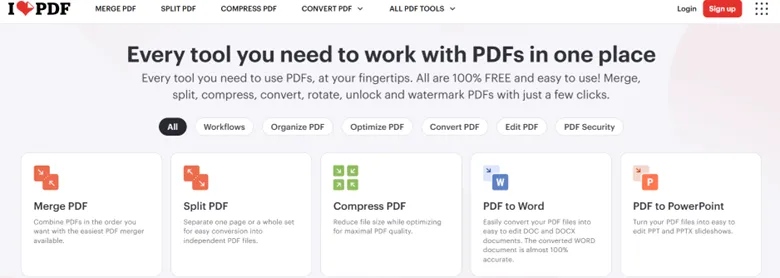
ILovePDF is one of the best free online PDF to Word converters, which also offers many other tools for free. This webtool is easy to use and contains more than 20 different task modules. It has recently launched a desktop version that offers batch edits without limits. This tool can also be easily used on smartphones and tablets.
Features
- Advanced OCR and request for e-signatures in the Premium version.
- Connect tools and create custom workflows
- Users can add a watermark and page numbers to PDF documents.
2. PDF24
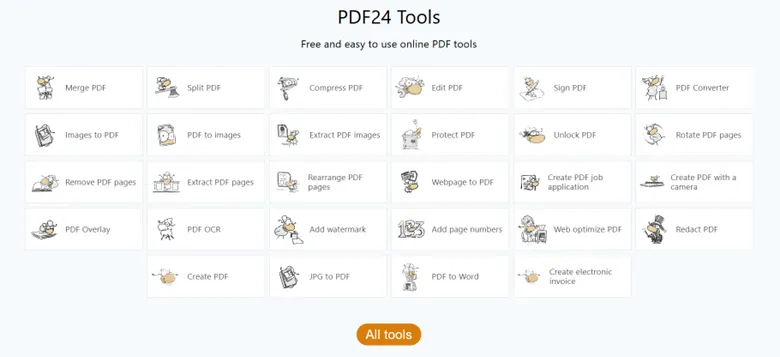
If you are looking for a free online PDF to Word converter then you need to use PDF24. This tool has inculcated many PDF modules under one interface, like editing, converting, managing, compressing, merging/splitting, OCR, etc. Security features include removing metadata from the PDF, applying a password, and redacting the content of the PDF file.
Features.
- It includes a special feature to create an electronic invoice PDF file.
- PDFs can be optimized for web display.
- Other features include flattening PDFs, PDF overlay, and generating new passwords and QR codes.
3. Small PDF Pro
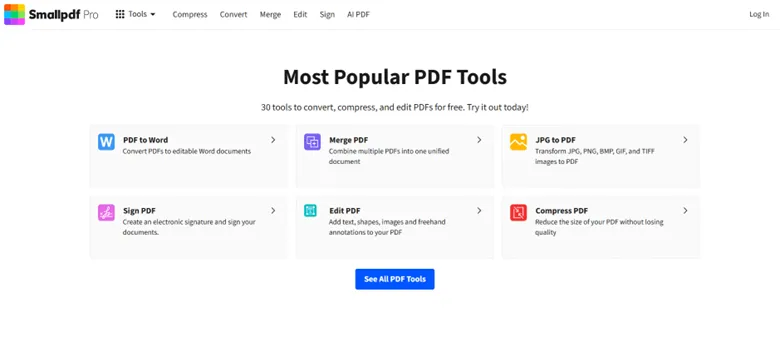
To convert PDF to Word online, you need a tool like Small PDF Pro. This tool allows users to directly share from the web platform after making the required changes. Creating fillable forms and digitally signing are the main features that are used by organizations to close deals. Small PDF also includes AI tools that includes question generator, a PDF summarizer, Chat with PDF, etc.
Features.
- It includes Pro and Team plans with unlimited access.
- This tool uses 256-bit TLS encryption for secure information transfer.
- Compress, convert, merge/split, and manage PDF files.
4. Sejda
Moving on with the list of free online PDF to Word without downloading any software, we have the Sejda online tool. This tool helps users with PDF taks making them easy, pleasant, and productive. With this tool, you can convert PDF to Word online with swift and simple steps. It also offers PDF merge, split, edit, sign, compress, OCr, protect, and loads of other features.
Features.
- Add Header & Footer to PDF documents.
- It also offers a desktop version for free with limited features.
- Grayscale the images within the PDF document.
5. SodaPDF
The last one on the list is a fast online PDF to Word converter known as SodaPDF. This AI-powered PDF editing and management software offers a translation module to translate PDF documents from one language to another. It includes many features include the conversion feature that can convert a PDF file to Word, Excel, PowerPoint, and Image.
Features.
- Soda PDF has a desktop app as well.
- The AI Assistant helps analyze the document online and form questions.
- Create a new PDF document from scratch and add text, images, shapes, form elements, and more.
Bonus Tools.
Apart from the most popular and commonly used online tools mentioned above, we have listed a few more secure online PDF to Word conversion tools that offer online PDF services in addition to their Offline versions.
Adobe PDF – Adobe Acrobat offers a limited online version of its PDF tool for basic PDF management purposes.
Nitro PDF – Nitro PDF online helps you convert PDF to Word in your browser.
PDF Gear – Free convert PDF to editable Word documents online with OCR.
Foxit – Convert Word to pdf online for free within seconds.
The Final Verdict On Best PDF To Word Converter Software.
We have finally reached the end of our journey, where we have explained the best offline and online PDF to Word converter software. Our mission was to provide our readers with our extensive research on offline and online converters, leaving the decision to them to choose the best one. However, if you ask us, then we recommend using an offline PDF to Word converter like Systweak PDF Editor due to its extensive modules, low cost, intuitive interface, and data privacy features. This software makes it easy to convert any PDF to a Word document in a simple and swift manner while keeping your data secure on your PC.
Frequently Asked Questions
Why should I use an offline PDF to Word converter instead of an online tool?
There are many benefits of using an offline PDF to Word converter as compared to an online one. We have listed the differences and benefits between the two in the table below.
| Feature | Online Converters | Offline Converters |
| Privacy | No, since the user files are uploaded to the web tool’s server with no assurance that they will be deleted. | Yes, all files stay on the device and and are converted on the PC itself. |
| Internet | Required | Not required |
| File Limits | Small files under 100MB with limits to number of conversions per day. | Unlimited |
| Speed | Depends on the speed of the user’s internet connection. The file will first be uploaded to the tool’s server and then downloaded after the changes have been made. | Depends on the PC’s processor and RAM. |
| Batch Tools | Most online tools do not have this feature, with some tools providing this feature as a paid option. | Standard feature in offline tools. |